

Sound Control System
SoundControlClass
This class serves as the central manager for the entire sound system. Its responsibilities include integrating various sound elements, preparing and/or requesting sound resources from the Sound Library Manager, and managing character voice queues.
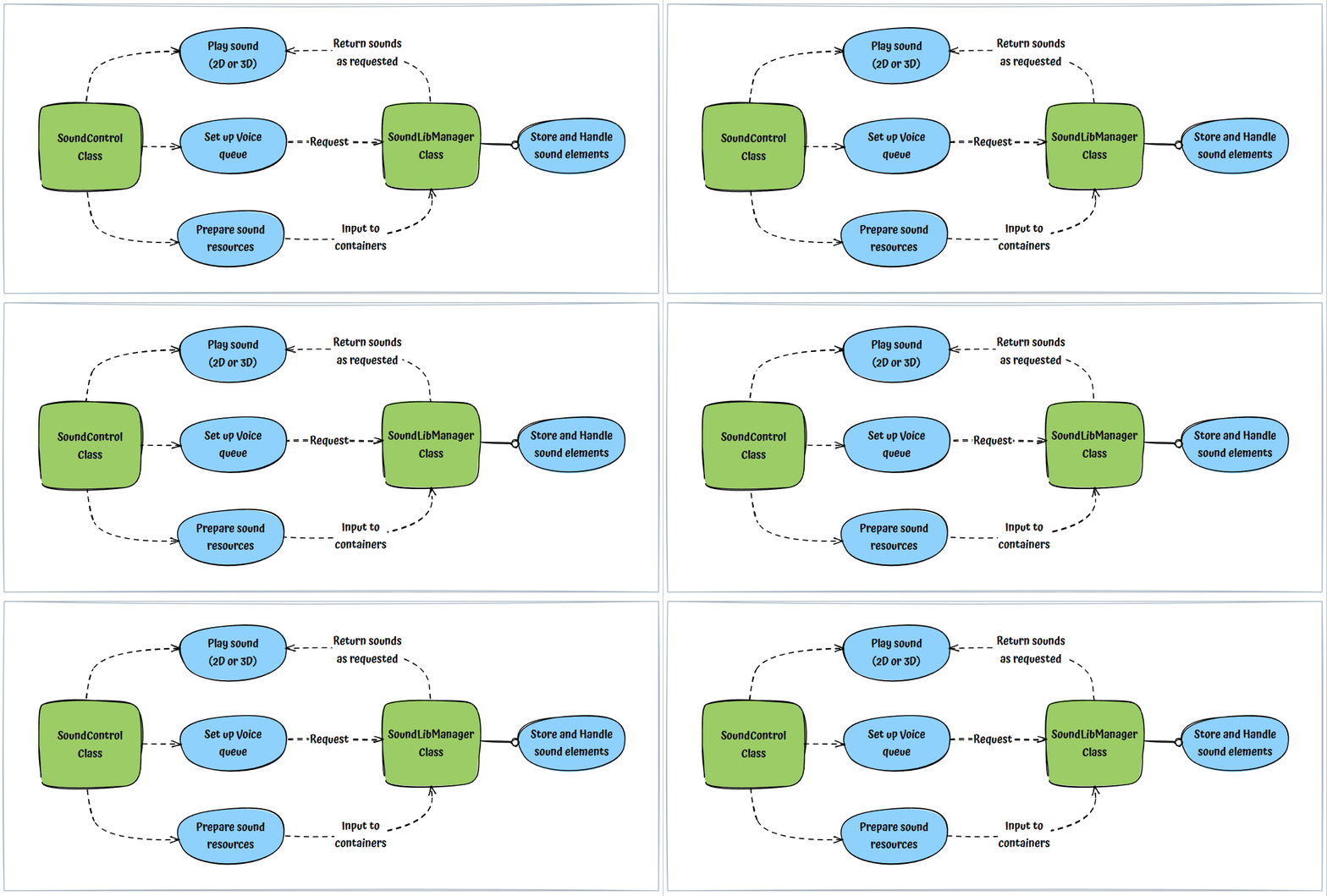
Sound Elements
Our sound system utilizes various sound elements, each designed for specific purposes and use cases
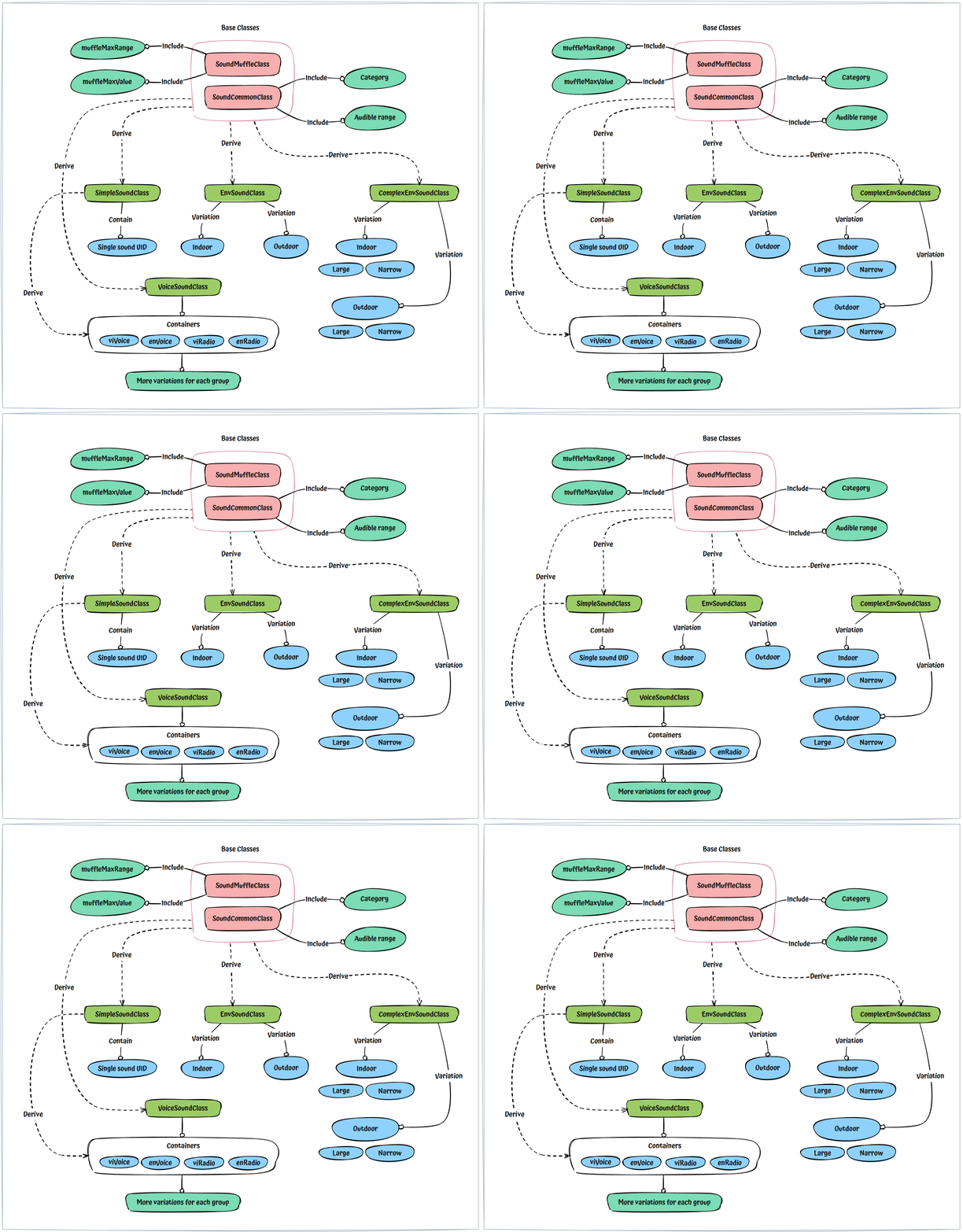
SoundCommonClass: This foundational class stores universal information for a sound element, such as its catalog entry and audible range (how far the sound can travel) in a 3D environment. It serves as the base for all subsequent Sound element classes
SoundMuffleClass: This class holds data on how a muffling effect should be applied to a Sound element within a 3D environment, acting as an add-on functionality.
SimpleSoundClass: Represents a sound with a single variation, commonly used for most scenarios in both 2D and 3D environments.
EnvSoundClass: A sound set containing two variations (indoor and outdoor), primarily used for sounds in 3D environments.
ComplexEnvSoundClass: Functions similarly to the EnvSoundClass but offers four variations: large outdoor, narrow outdoor, large indoor, and narrow indoor. It is intended for highly complex sounds, such as gunshots, within a 3D environment.
VoiceSoundClass: An intermediate class that aggregates multiple SimpleSoundClass containers. It is used to store various takes for each voice line, categorized into four groups: Vietnamese Vocal, Vietnamese Radio, English Vocal, and English Radio.
Below is graph which describes structure and relationship of each sound elements
SoundLibManagerClass
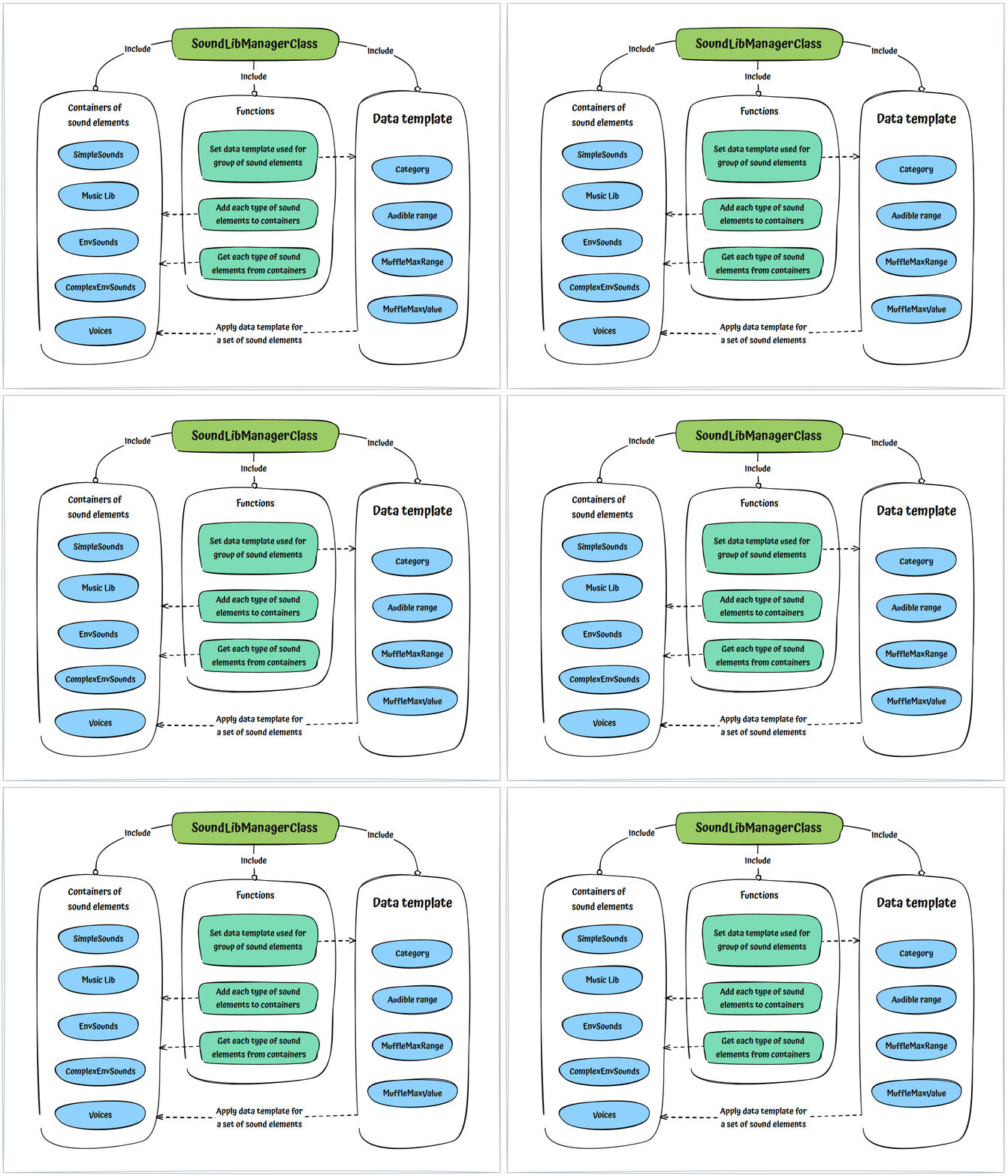
This class organizes and stores a comprehensive set of different sound element types (see definitions above)
It serves as a helper utility, enabling the SoundControlClass to efficiently add and retrieve sound elements for playback.
Refer to the graph below for a visual representation of the Sound Library Manager's workflow.
Character Voice Class
This class manages character voices for both direct vocal communication and radio transmissions.
For radio communications, it provides a voice queue system. This system can connect multiple individual voice lines into a single, contextually coherent message for various in-game situations. (See detail below for how the voice queue works).
The voice queue system also incorporates a logic handler for managing radio command, reply, and report interactions between characters.
Voice Queue System
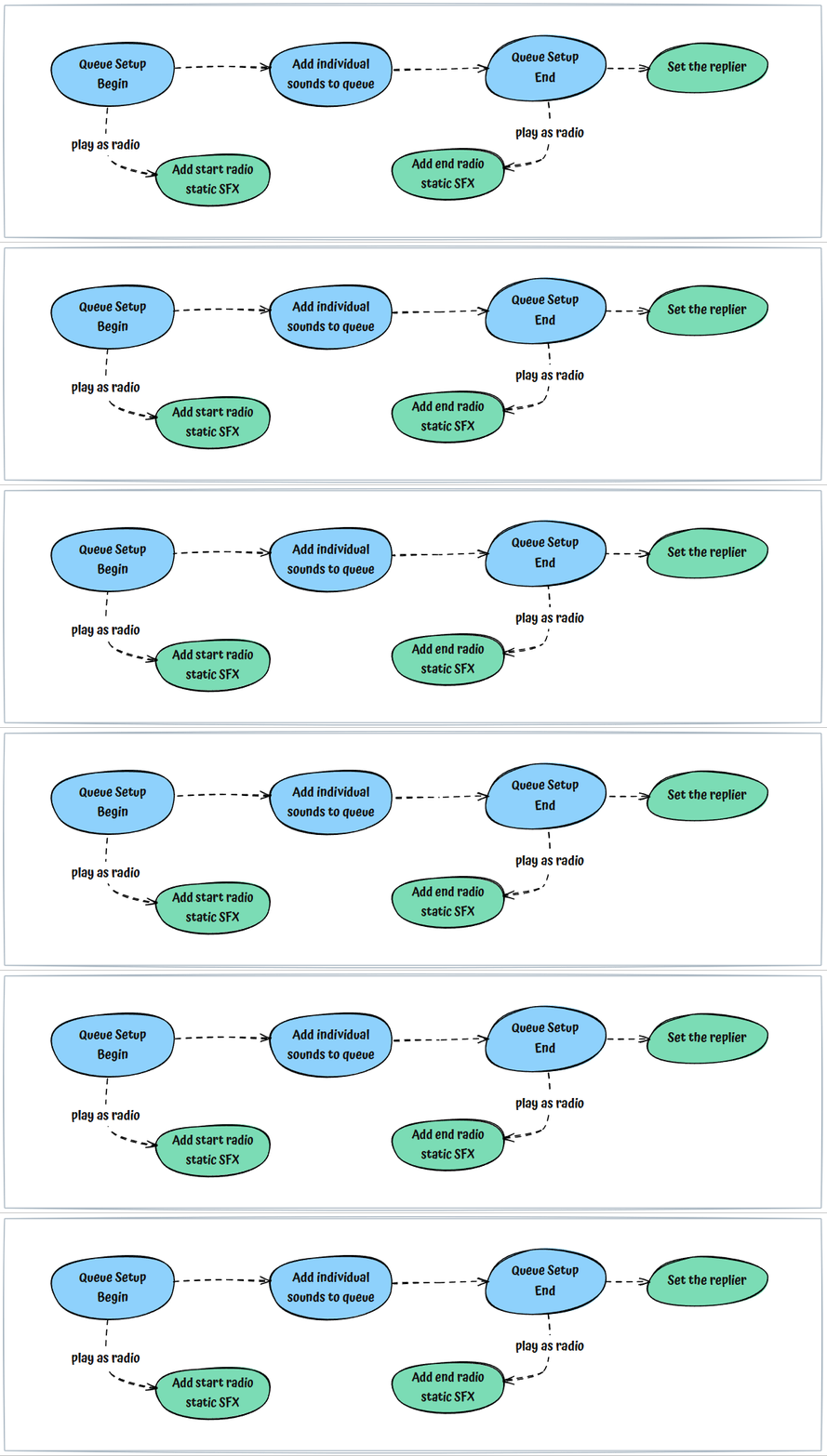
We maintain a collection of discrete voice lines. These lines are designed to be composable, allowing them to be assembled into sequences for deployment across a multitude of contextual scenarios.
Example: [Report] - [Target detected] - [150 meters] - [Waiting for order] → This sequence is formed by combining four individual voice lines. Each component voice line plays sequentially and is interchangeable with alternative variations, providing flexibility in output.
The graph below shows how a voice queue is setup
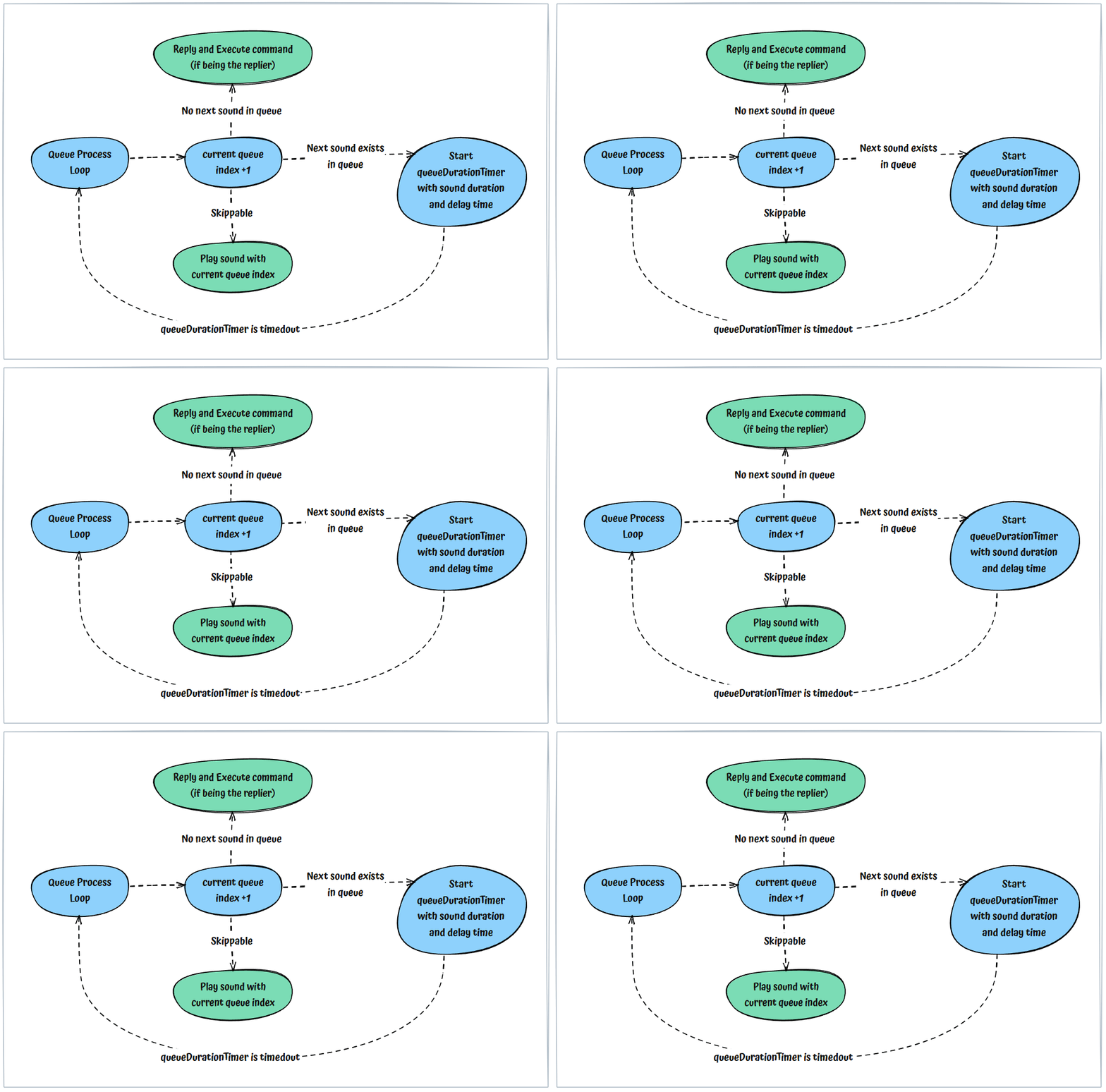
The graph below shows how a voice queue is processed
Sound Element Process Flow
A sound is imported into the engine and stored as an element, which is assigned a unique identifier (UID). To play a sound, the engine utilizes a function call, SoundPlay(), which accepts various parameters such as volume, position, and range, etc. To simplify the usage of the SoundPlay() function, all these parameters are stored within a SoundElementClass object, allowing for easy and precise retrieval when needed.
There are four distinct states in the sound element processing lifecycle
Register: The sound element is registered with the SoundLibManager (SLM). The SLM then places this sound element into its designated memory container.
Recall: Depending on the requirements of the sound handler, the SoundControl system requests the SLM to retrieve a specific sound element (identified by its UID and including all associated parameters)
Retrieve: The SLM locates and returns the requested, corresponding SoundElement.
Play: The SoundControl receives the returned SoundElement and uses the appropriate "Play" function to render it.
Each SoundElement possesses its own unique functionality and use case. This section will further detail how each sound element is processed.
The Play functions
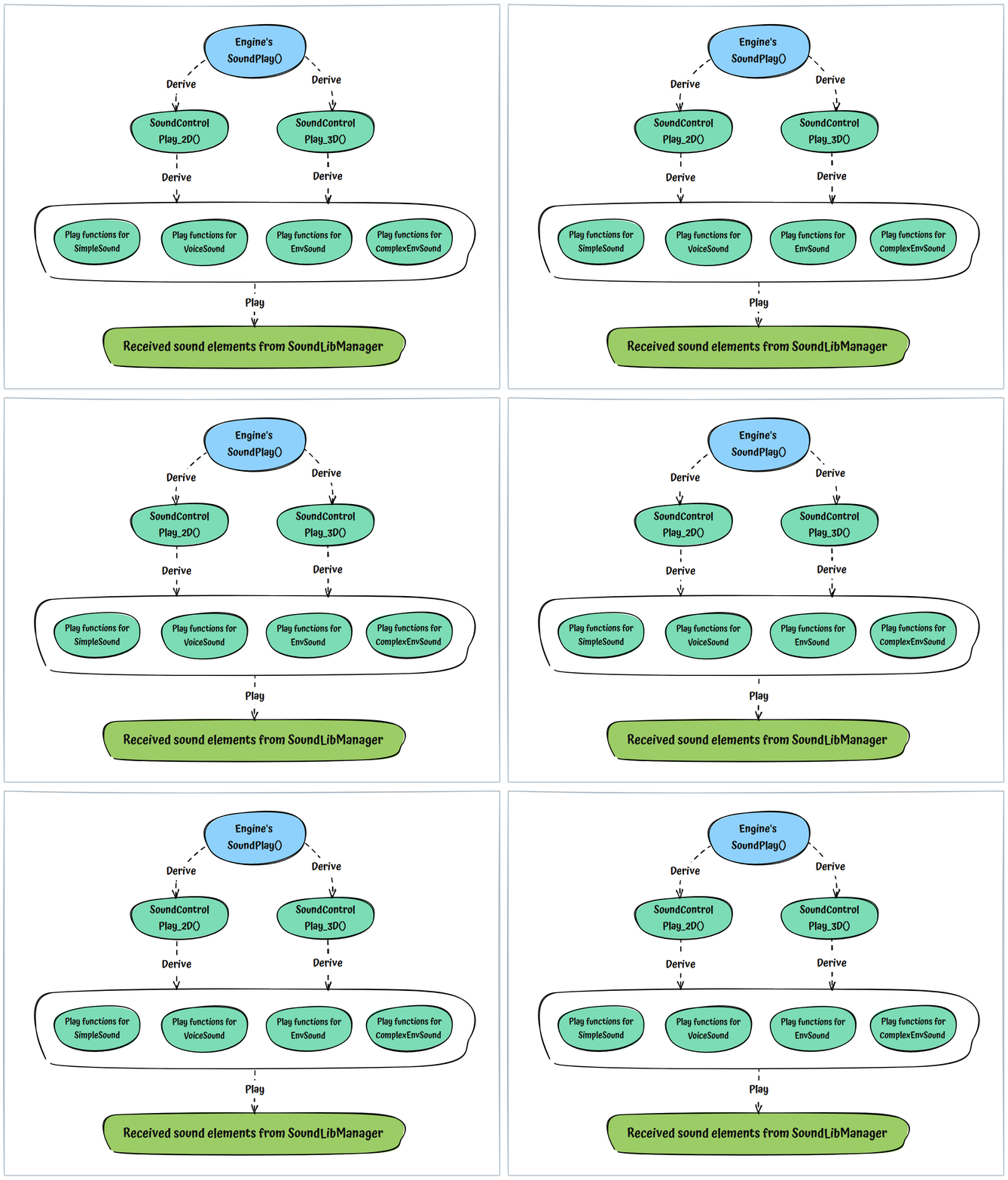
The Sound Control system incorporates a middle layer, comprising
Play_2D()andPlay_3D(), to manage the engine's low-levelSoundPlay()functionality.Although the Sound Control system offers numerous specialized functions for playing different sound elements, all of them ultimately leverage these two functions as their backbone.
The Sound Control ‘s Play functions might employ a special Sound Source object to enhance the SoundPlay() functionality. This enables advanced features like muffled sound effects and sound velocity manipulation. In essence, it's another method of calling SoundPlay() but with additional parameters.
Simple Sound
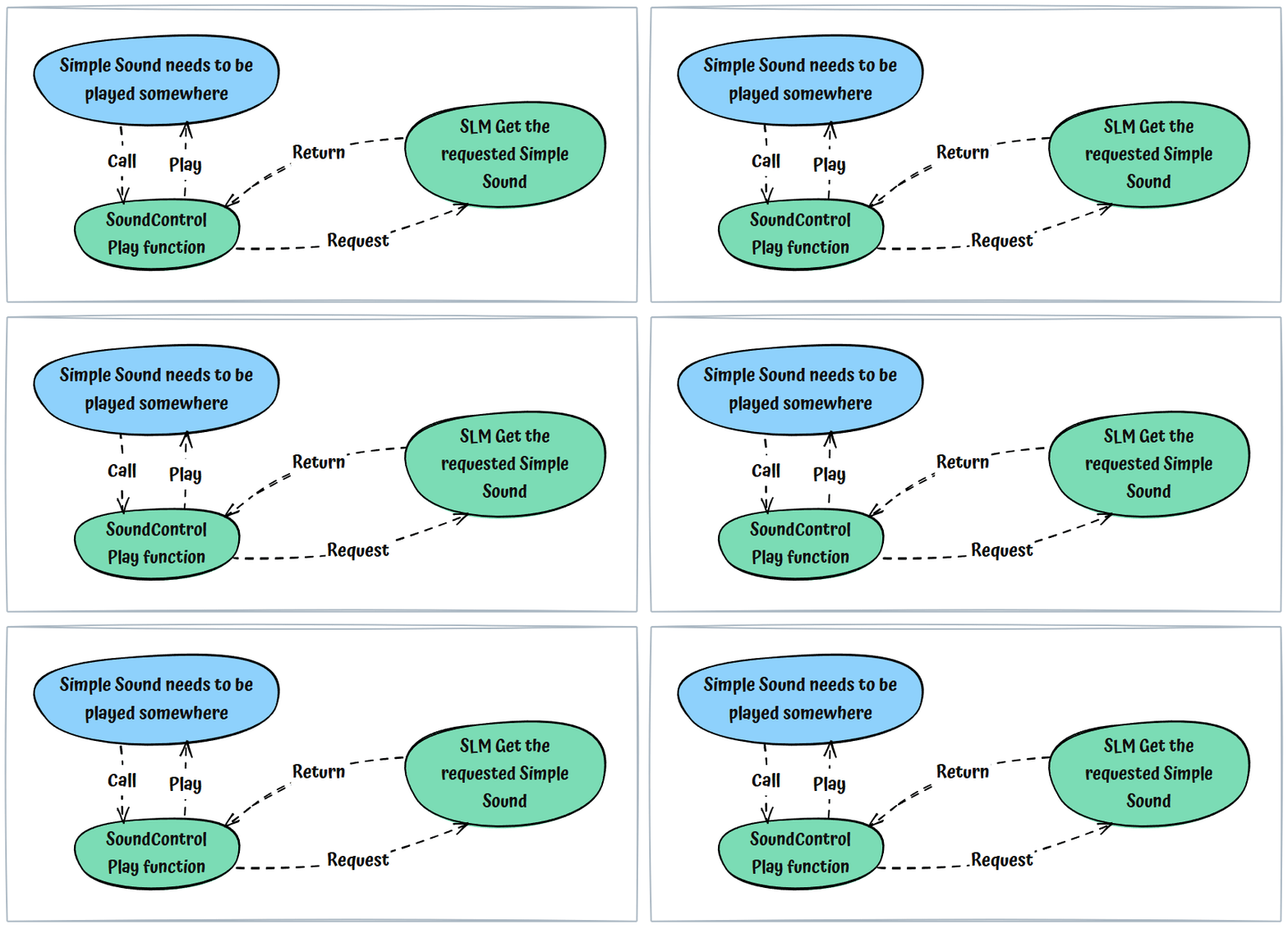
This is the simplest workflow to play a Simple Sound element.
Voice Sound
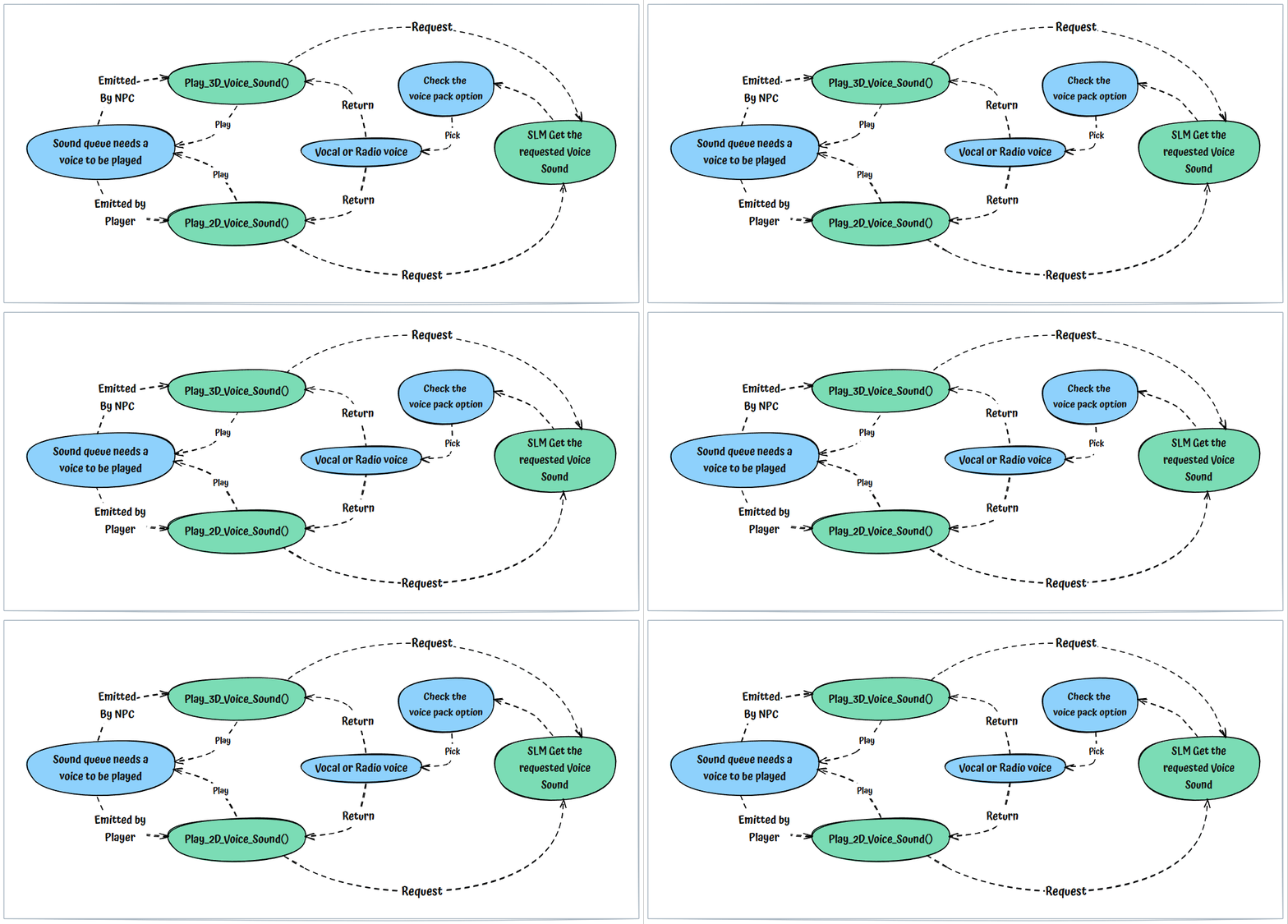
Voice sounds are primarily used for the CSCD operator's Character Voice queue functionality (encompassing both vocal and radio-style voice lines). Their playback is directly influenced by the CSCD voice pack option found under the Options > Sound menu.
Env Sound (Environmental Sound)
This sound element is designed for handling sound playback that adapts to its surrounding environment, offering distinct Indoor and Outdoor variations. Upon a sound request, the Sound system will assess the environmental space and then play the corresponding variation. Dynamic muffle effects can also be applied to this sound element.
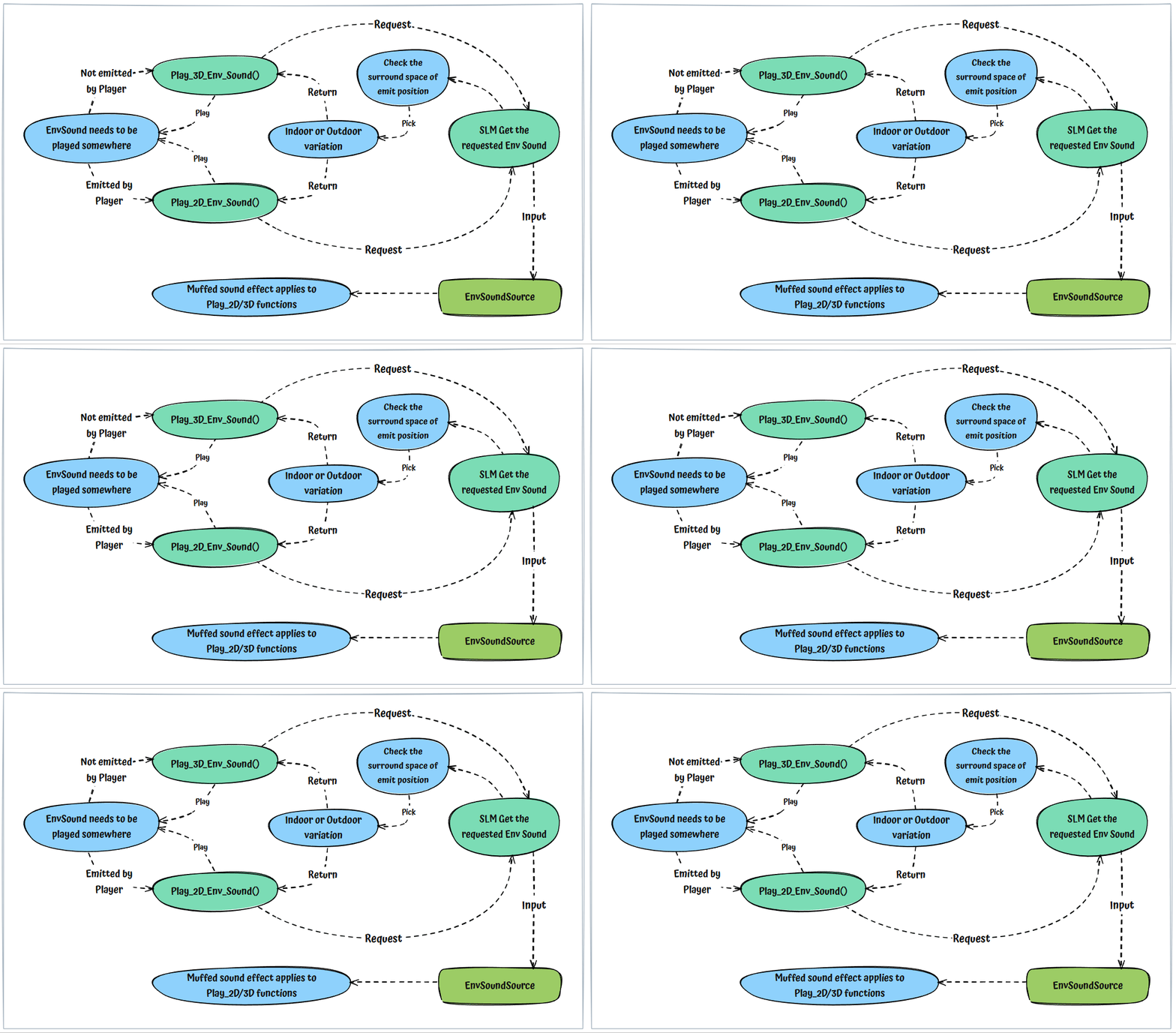
Complex Env Sound
This is essentially an advanced Environmental Sound element designed to adapt to sub-variations within environmental spaces, specifically incorporating 'Narrow' and 'Large' attributes. Consequently, for each sound element request, there will be four possible variations that can be returned to the Play function: Outdoor Large, Outdoor Narrow, Indoor Large, and Indoor Narrow.
Aside from these sub-variations, the Complex Env Sound element operates similarly to the standard Env Sound. The key differences are that the Complex version requires more input sound variations and relies more heavily on the EnvironmentSpaceVolume class's parameters to select the appropriate variation.