

Create profile for the first time play
Create profile
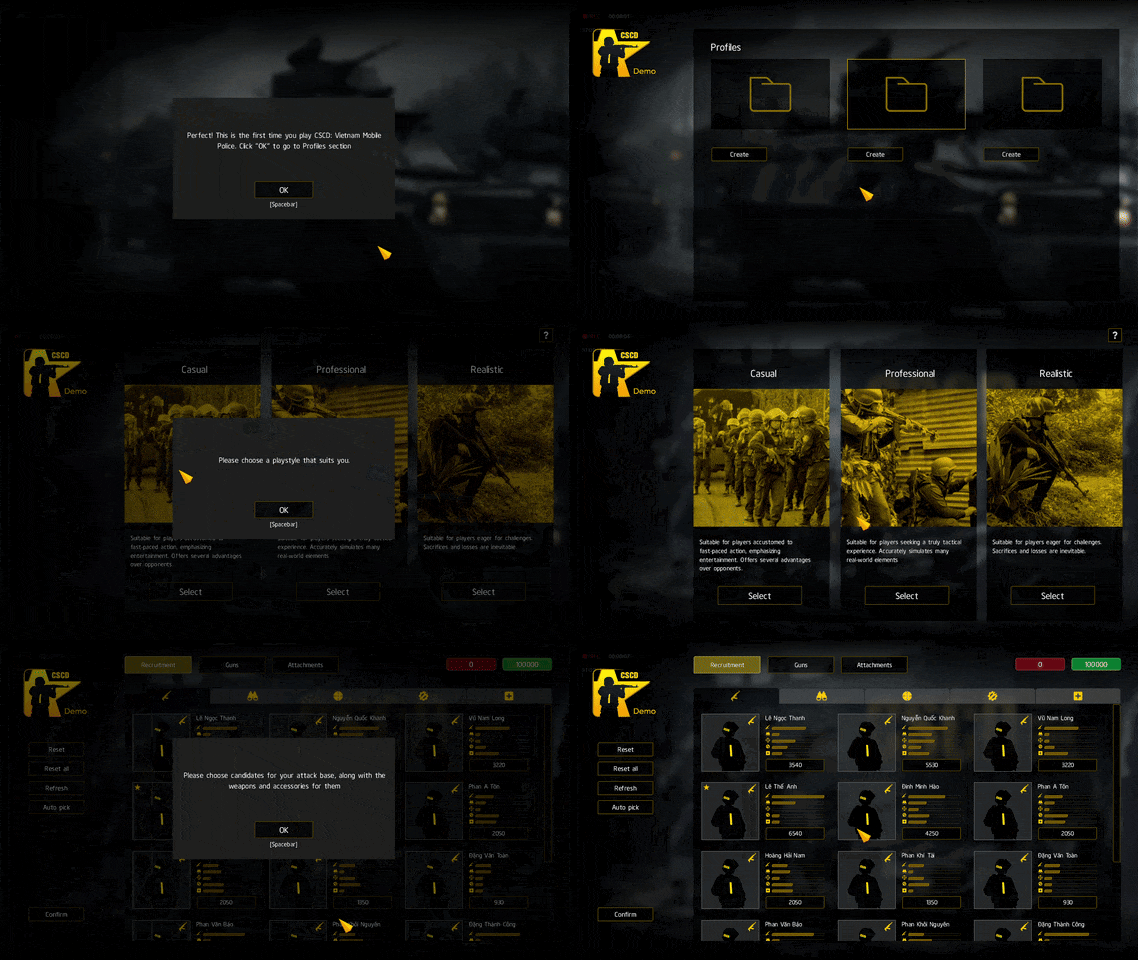
The first time you start the game, after agreeing to the Terms of Service, you'll be asked to create a profile. This profile will save all the details of the team you'll be managing.
Afterwards, simply choose your preferred playstyle.
Recruitment, acquiring weapons and attachments
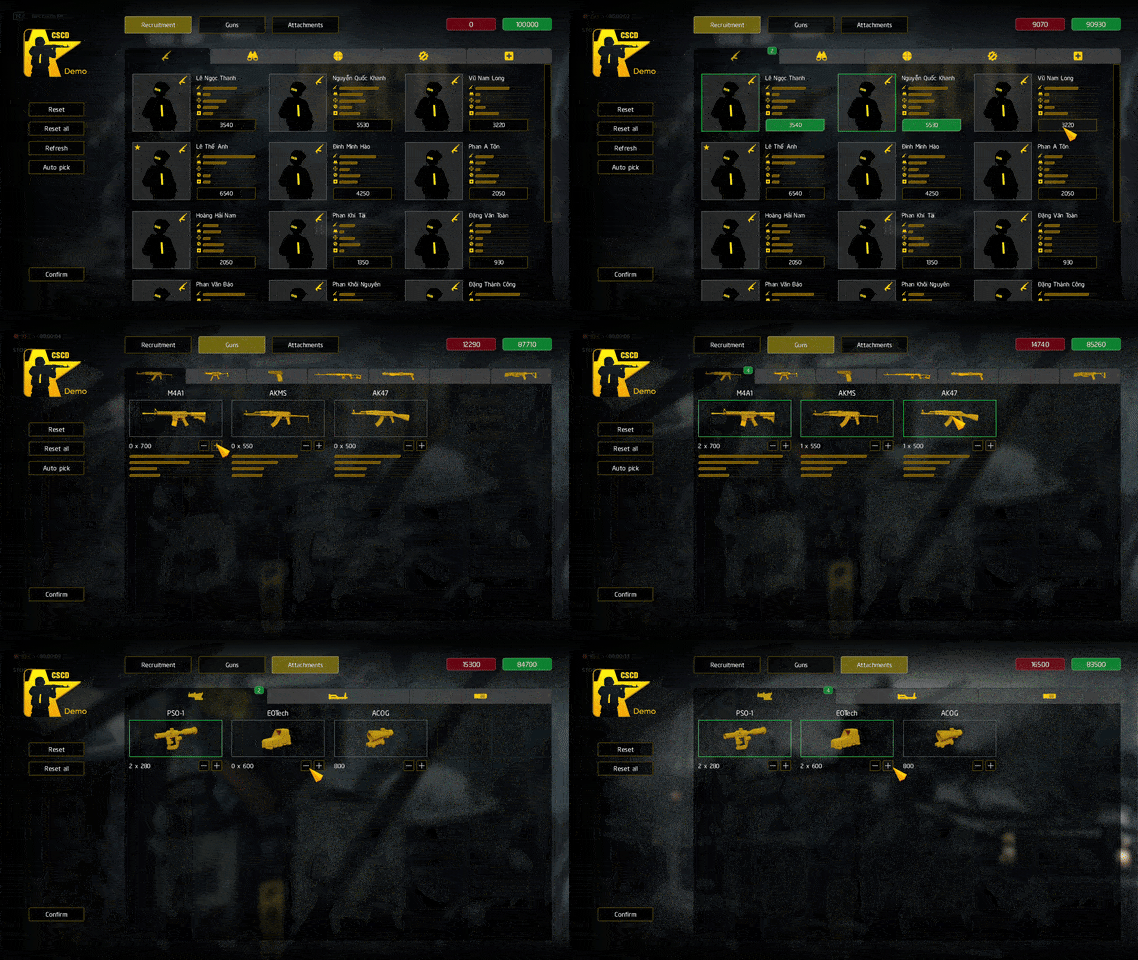
Recruitment
Select operators by clicking their credit cost button. Click once more to deselect.
Players can command up to 3 squads, each with a maximum of 5 operators.
If the current candidate list isn't suitable, click Refresh for a new one.
Important: At present, soldier skill ratings have no impact on gameplay.
Acquiring weapons and attachments
You need to select enough weapons to fully equip your chosen operators. Each operator can carry 1 primary weapon (like an assault rifle, SMG, or sniper rifle) and 1 secondary weapon (sidearm)
Similarly, ensure the selected attachments are sufficient for your chosen weapons. Each weapon can be equipped with multiple attachments.
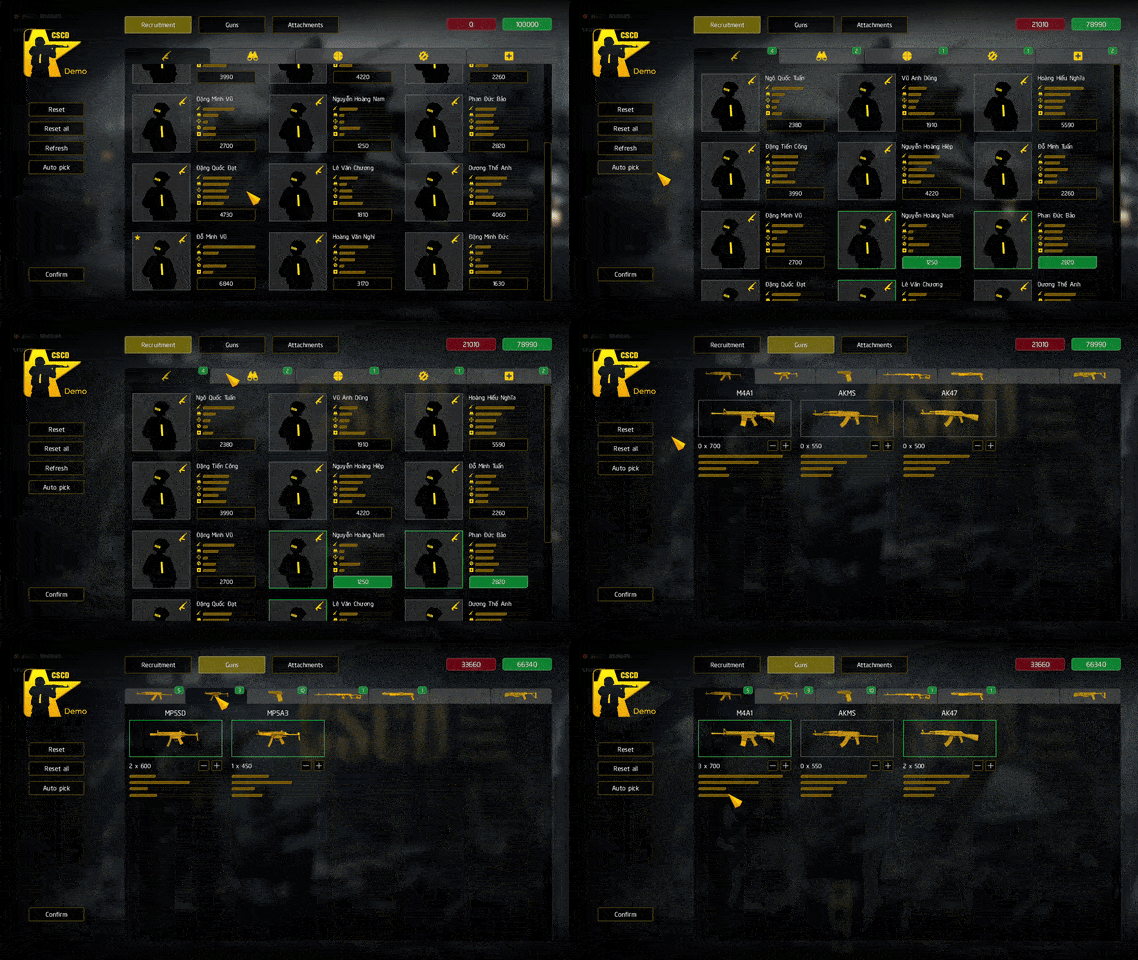
You can use the Auto-pick feature to have the game make selections for you. This saves time, but it doesn't guarantee optimal results for your squad.
Finish
Once you're happy with your choices, click Confirm and then Yes to finalize everything.
The game will then take you to the main menu screen. Congratulations, you've successfully completed the initial profile setup for your first time in the game!
Pre-made profile
If you prefer not to create a profile, or if your profile creation fails, you can download a pre-made profile file provided by the development team.
This profile includes optimized choices for personnel, weaponry, and attachments, as well as the setup of operators within one attack squad. Just copy it to the Documents/cscdvmp/profiles directory, overwriting existing files if necessary.
You may also rename the file to profile2.dat or profile3.dat. It will then be displayed in the respective slot in the in-game profile list.